NewEasy Editor
Liquid Glass Lower Thirds — 10 Remotion Titles (MP4 or Transparent)
10 designs · Remotion · 16:9
AAANKY.AI0.0(0 reviews)
₹3490 sales
Text-to-speech SaaS with 14 voices, read-along, credits and Stripe. Full source.
Commercial license · GST calculated at checkout
Claude Code
Model: Claude Opus 5.5
Built and documented with Claude Code on Claude Opus 5.5.
AGENTS.md and docs/ai/ let agents change it without scanning the repo.
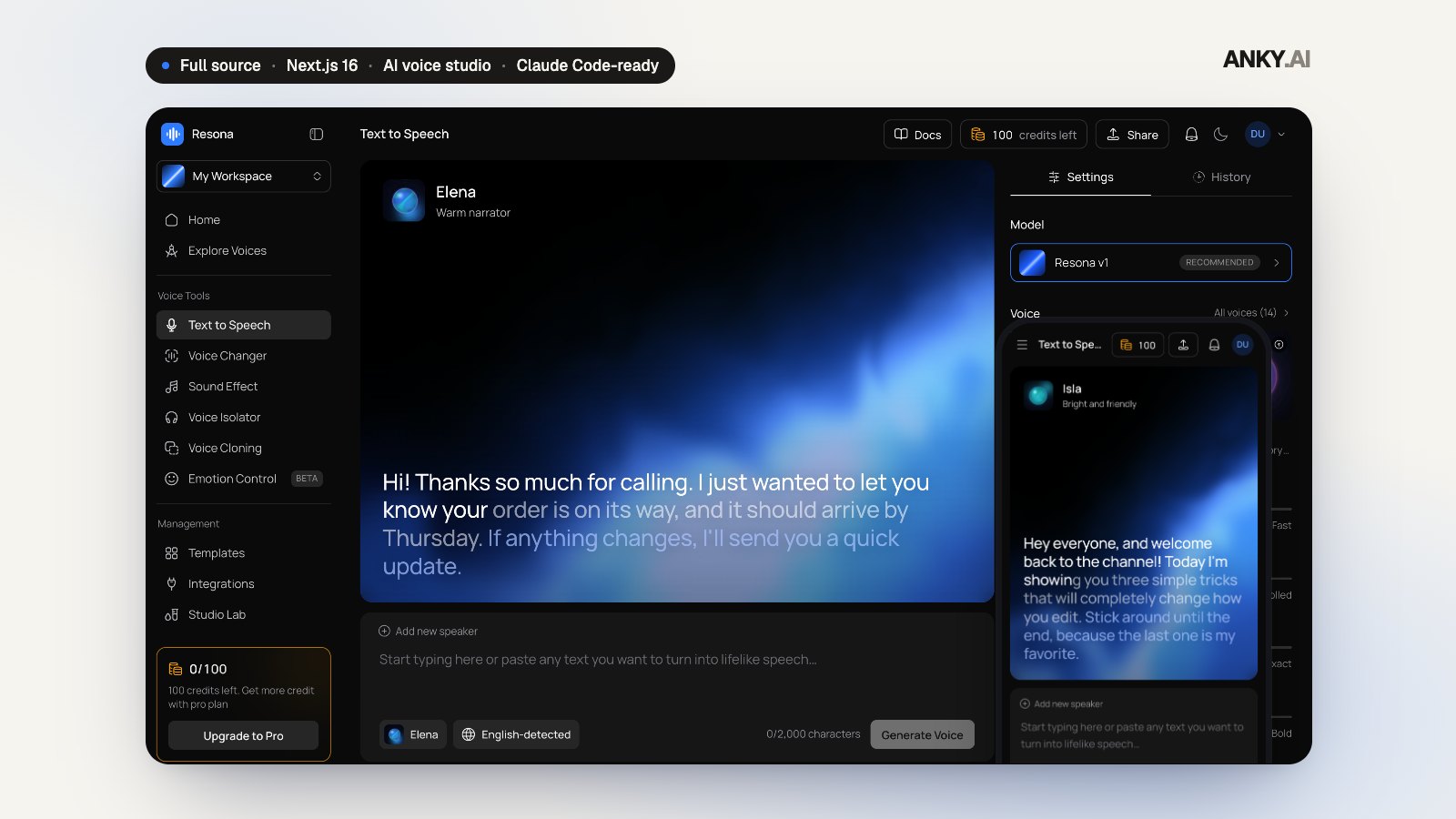
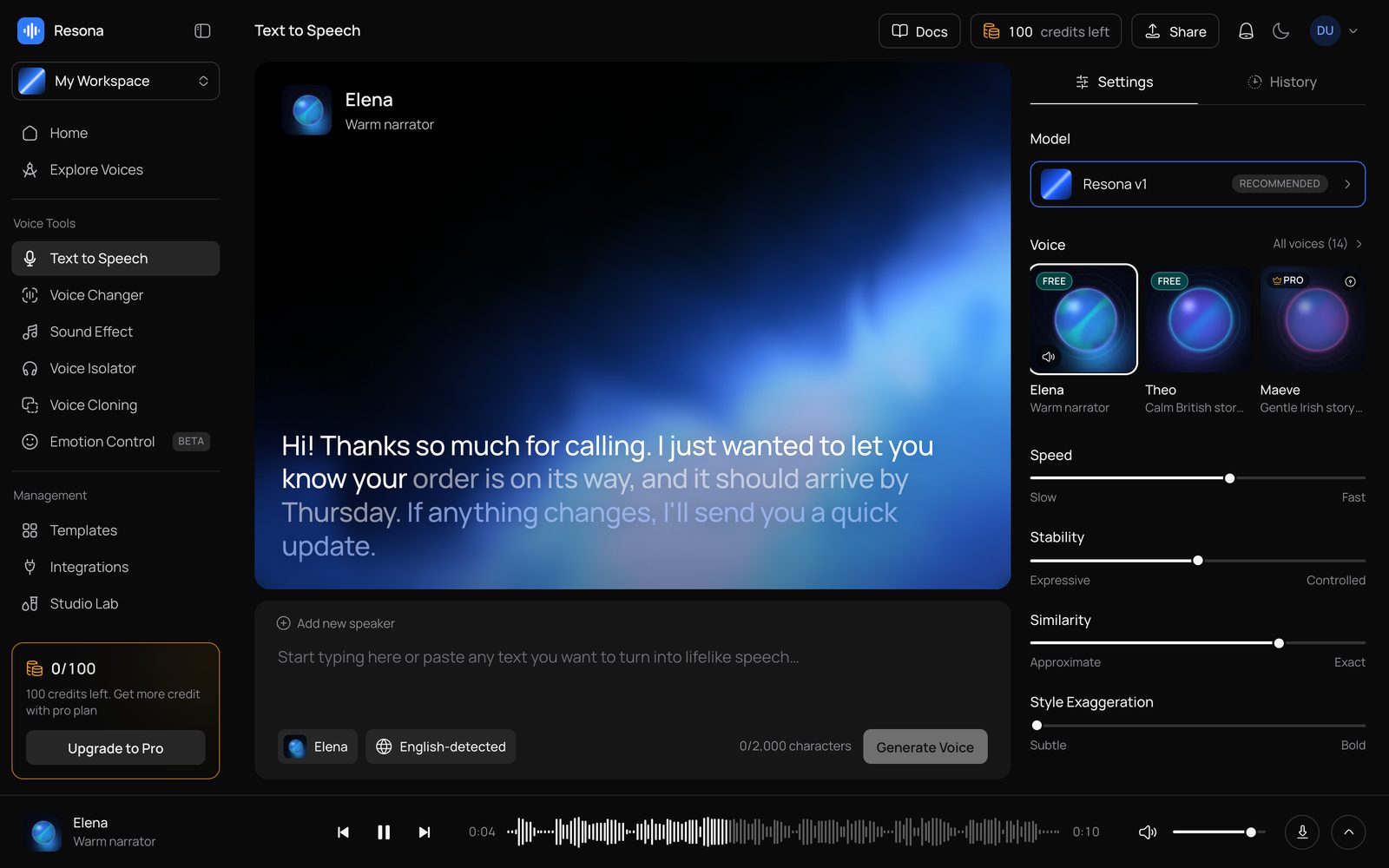
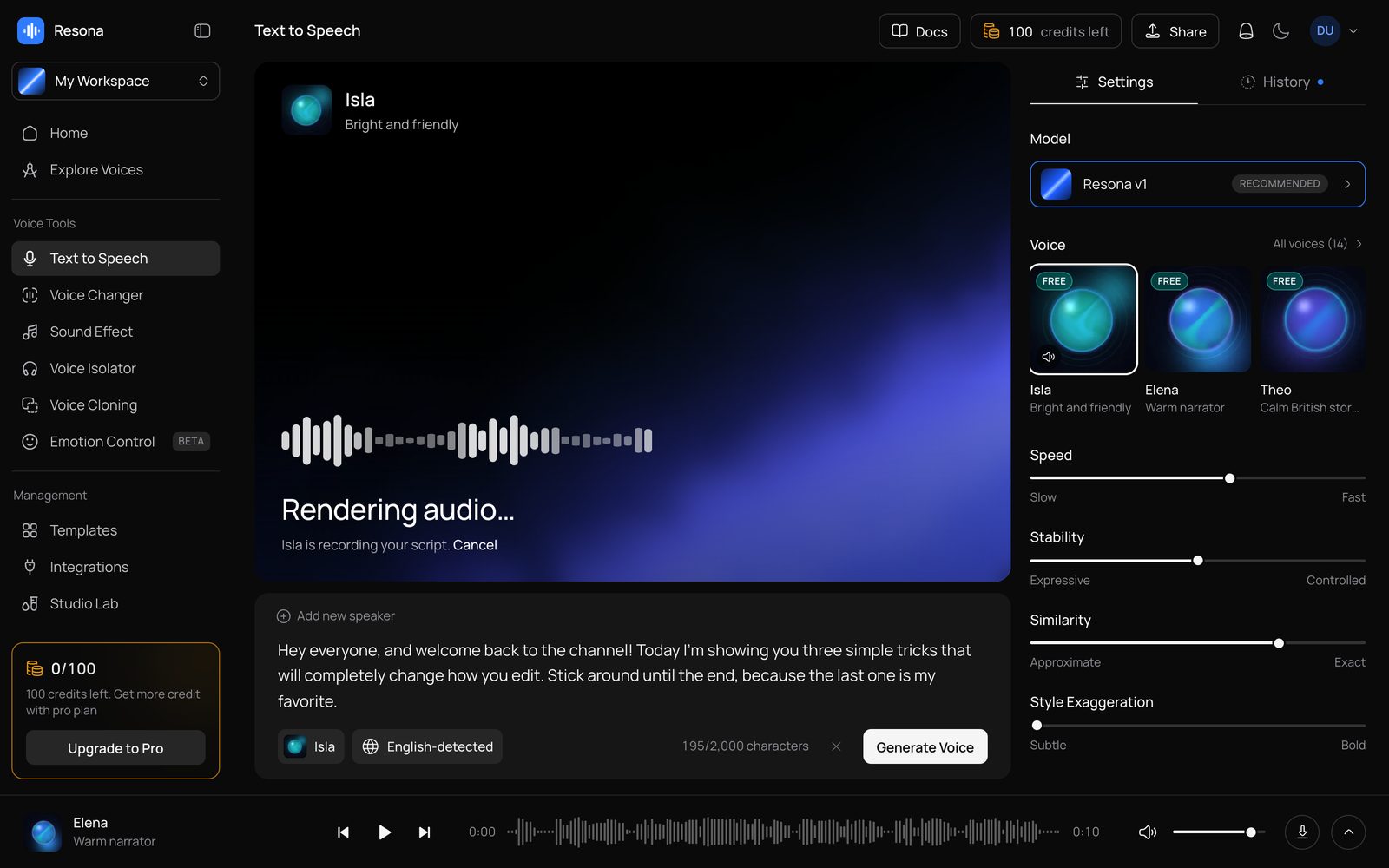
Resona is a complete AI text-to-speech studio: type or paste a script, pick one of 14 voices in 7 languages, tune speed, stability, similarity and style, and get speech in a waveform player with read-along highlighting. A live stage shows the voice's artwork and your script in large type, the bottom player keeps playing across pages with a queue and media keys, and every take lands in workspaces and a searchable history with favorites and downloads.
Around it sits a production platform: credits per started 100 characters, reserved atomically and refunded once on failure or cancel; Pro voices on paid plans, enforced on the server; plans and prices you set in the admin, synced to Stripe, with a customer portal and a trial; Better Auth with passkeys, Google, magic links and email codes; per-user rate limits and owner-checked downloads; and an admin with users, plans and a blog. Dark by default with a matching light theme, from 375px phones to large desktops.
Out of the box it runs in demo mode: the built-in demo provider plays pre-rendered sample reads through the real task lifecycle, with sentence timings and waveforms, and no API calls or cost. Real speech needs a voice API: the Anky AI provider ships as a stub for you to implement (docs/voice-generation.md walks through it). The bundled demo reads are for trying the studio locally; replace them before a public launch, as the README explains. AGENTS.md, CLAUDE.md, Cursor and Windsurf rules and a codebase map let Claude Code, Codex or Cursor connect a provider and rebrand it with you.
What you are buying: The full Next.js 16 source of Resona: the voice studio, the generation engine with its demo provider and an Anky AI provider stub, credits and admin-managed plans, workspaces and history, the persistent player, the admin, the database schema and demo seed, and the docs. Deploy it on Vercel or any Node host with PostgreSQL.
Third-party costs: Demo generation plays pre-rendered sample reads and costs nothing. Real speech runs on a voice API you connect by implementing the provider stub, and that API bills your account for what you generate. Stripe, an email provider and S3 or R2 storage are optional and bill you directly.
Resona · AI voice studio
Text-to-speech with 14 voices, read-along highlighting, a waveform player that follows you across pages, workspaces, credits and admin-managed plans, ready to rebrand and connect to your voice API.
14
Voices
7
Languages
12
Ready-made scripts
2,000
Characters per take
35
Unit tests
Everything included
A live stage with the voice's artwork and your script in large type, a script editor with ⌘↵, and settings beside it.
American, British, Australian, Irish, Indian and South African English, plus Spanish, French, German, Portuguese, Japanese and Hindi.
Two models, speed, stability, similarity and style, with automatic language detection you can override.
The sentence being spoken lights up; the bottom player keeps playing across pages with a waveform, a queue and media keys.
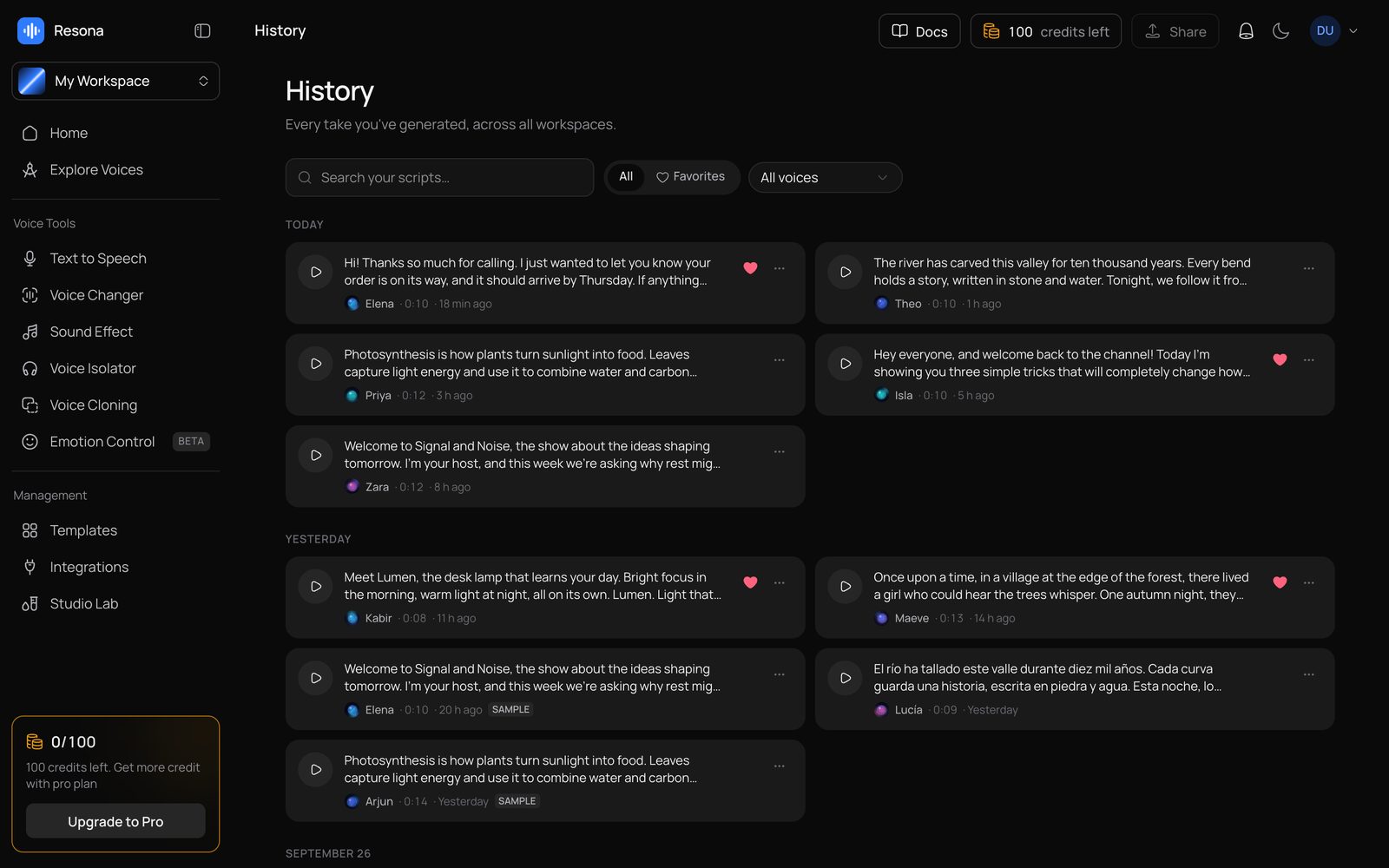
A workspace per channel or client, a searchable history with favorites, audio detail pages and ⌘K search.
Credits per 100 characters with automatic refunds, Pro voices on paid plans, and plans you price in the admin, synced to Stripe.
How it works
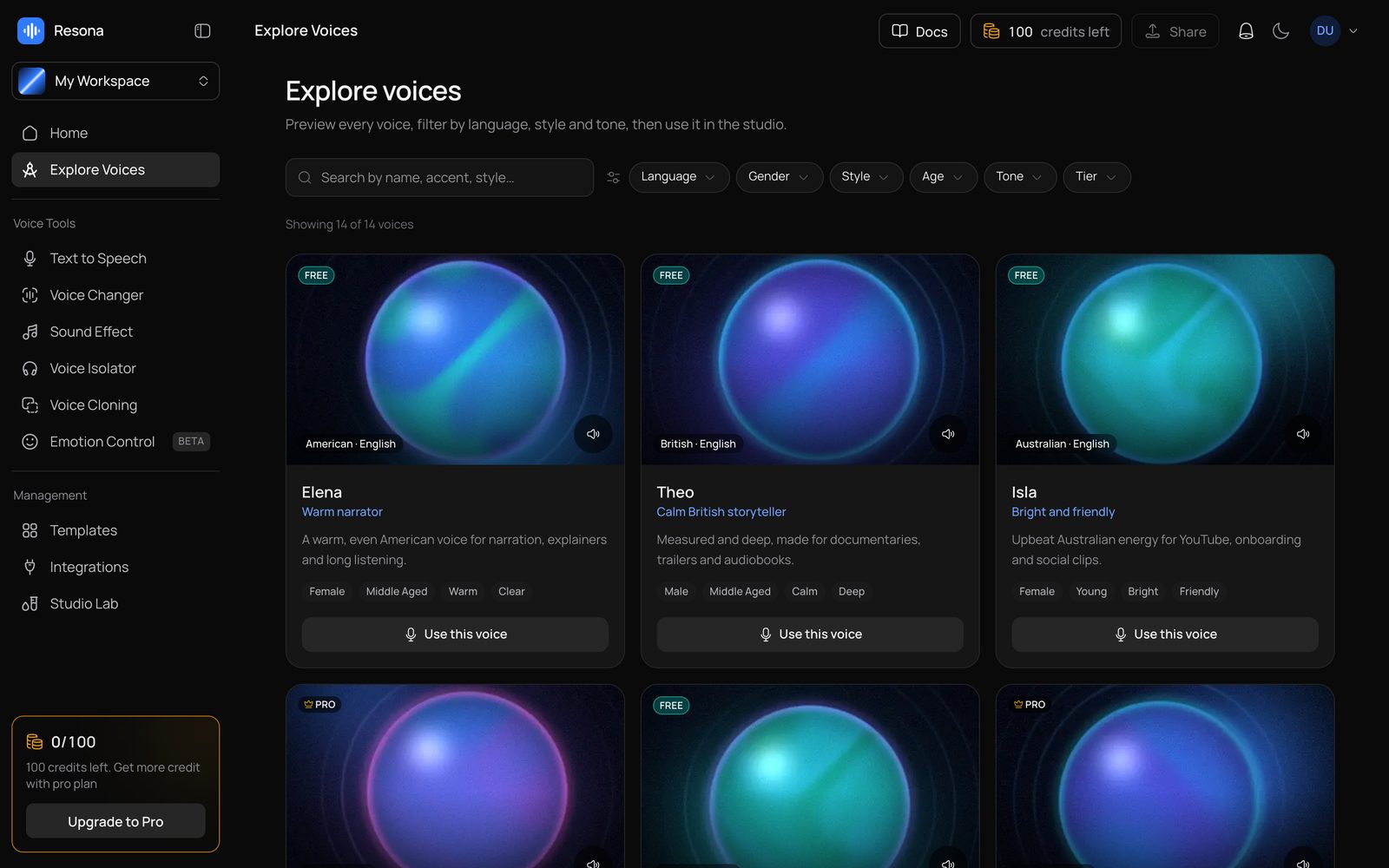
Type up to 2,000 characters or start from one of 12 ready-made scripts; the language is detected as you type.
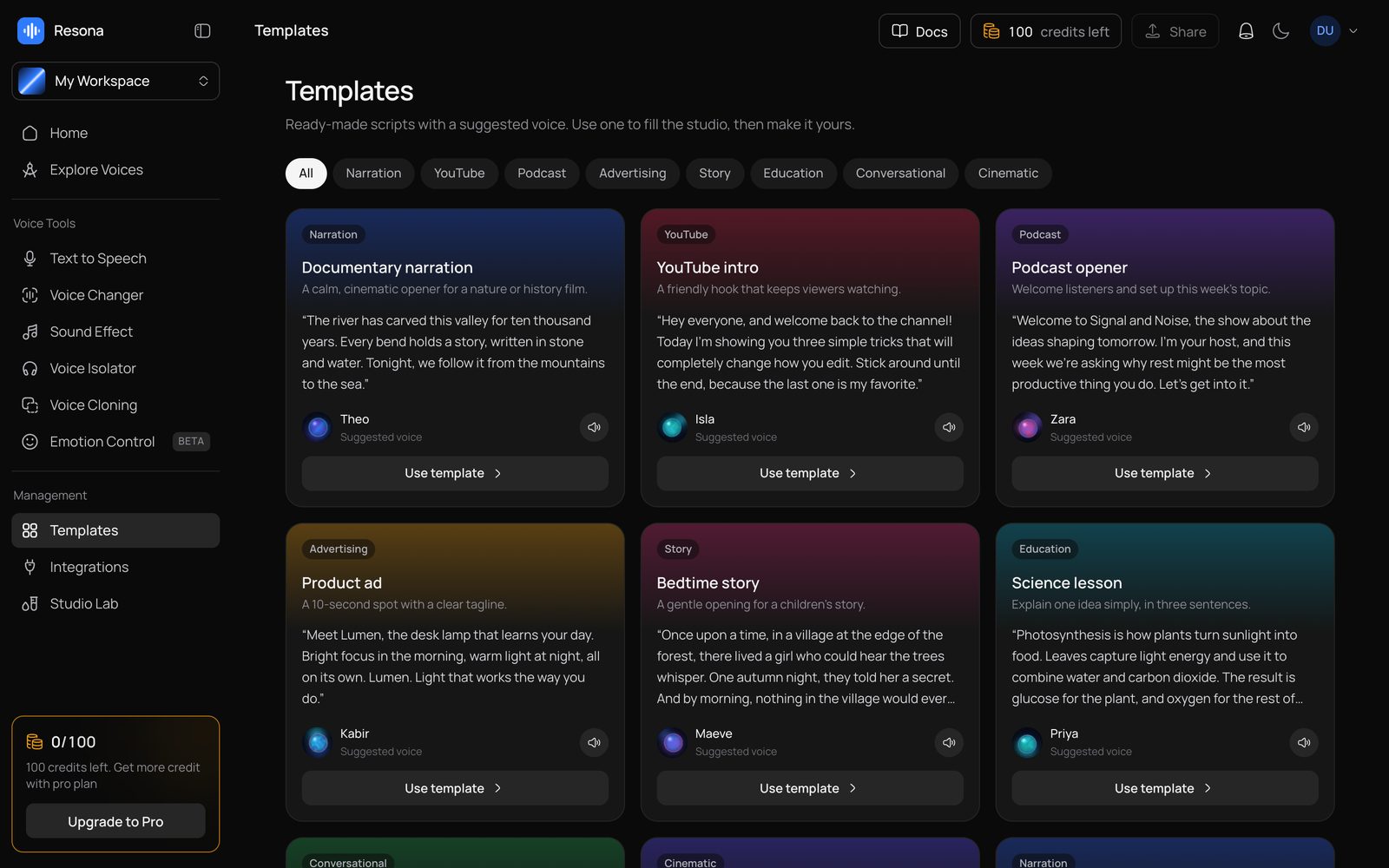
Browse 14 voices with previews and filters, then tune speed, stability, similarity and style.
Honest staged progress, then the take plays in the bottom player with read-along highlighting.
Favorite, download or share takes, restore a take's text and settings, and find everything in History.
Who it's for
Founders
Launch a paid text-to-speech product with sign-in, credits, plans and admin already built.
Agencies and studios
White-label a branded voice tool for clients from one config file and one CSS file.
Video creators
Voice-overs, intros and narration, organized in a workspace per channel.
Podcasters and publishers
Openers, news briefs and audio versions of articles, with downloads and history.
Educators
Lesson narration in several languages and accents.
Developers
A clean reference for async AI tasks, a persistent audio player and read-along timing.
Make it yours
The repo ships with AGENTS.md, CLAUDE.md and a codebase map. Open it in Claude Code, Codex or Cursor and ask in plain words:
“Implement the Anky AI voice provider with my API key and store the audio in my R2 bucket.”
“Rename it Voxcraft, switch the accent to emerald and use my logo.”
“Add two Pro voices with my own artwork and preview clips.”
“Charge 1 credit per 50 characters on the Flash model.”
Everything you need to evaluate the stack at a glance.
Ships with AGENTS.md, CLAUDE.md, GEMINI.md and .cursor/rules.
$ npm install$ cp .env.example .env$ docker compose up -d$ npm run db:migrate$ npm run db:seed$ npm run dev
Open the folder in Claude Code, Codex or Cursor and ask it to rebrand, add a feature or deploy — the instruction files explain the architecture and conventions.
10 designs · Remotion · 16:9
Next.js 16 · TS · Claude Code-ready
Next.js 16 · TS · Claude Code-ready
Next.js 16 · TS · Claude Code-ready